
Open the Paytable and Let the Symbols Explain the Game
The fastest way to understand a new GAMEZONE slot is not to press Spin immediately. Pause on one lobby card and inspect what it gives you: a reel preview, a category or selected state, an information control, and a clear route back to the lobby. A polished theme can attract your eye, but paytable access and control clarity tell you far more about the first session.
Choose a card for information, not artwork alone
Start by comparing the visible reel format, whether the game explains its features, how easily you can open the rules, and how much of the control bar remains visible. Where the current title displays pace, volatility, or another game characteristic, read that label inside its own information panel. Do not carry an assumption from another title into this one.
Theme, music, and animation can shape the mood, but they do not establish a better return, a guaranteed feature, or a superior result. The useful question is simple: can you understand what appears before, during, and after one complete round?

Regular symbols
These usually form the main combinations described by the current paytable. Check their values and the number or arrangement required. The live rules, not the appearance of the symbol, define how it contributes to a completed result.
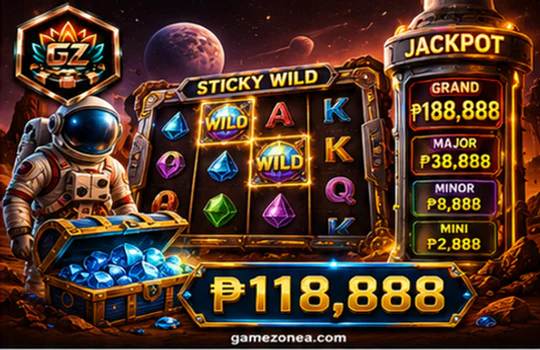
Wild-style symbols
A wild-style symbol may substitute, expand, lock, or behave in another way, but only when the current game’s rules say so. Open the description and note any exception instead of assuming every wild works alike.
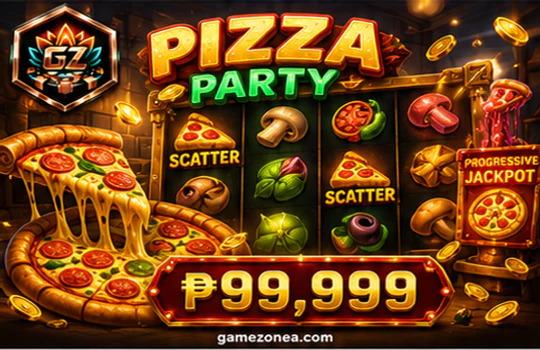
Scatter-style symbols
A scatter-style symbol can be linked to a feature or a separate evaluation method. Confirm whether position matters, how many are required, and whether the current game provides any extra condition.
Paylines, ways, or another mechanic
Look for the exact combination method shown in the information panel. A payline, ways system, cluster, or other displayed mechanic changes how you read the reels. Knowing that relationship saves time and reduces the chance of misreading a finished round.
When you close the information panel, return to the reels and find the same symbols on the live screen. That simple move connects the written rule to the visual object. It also shows whether the gamezone slot app gives you an easy path between explanation and play instead of forcing you to search again.
Check the Control Deck Before the First Spin
Once the symbols make sense, move down to the controls. The control bar is where you decide how the session behaves. Every setting change should create visible feedback before you use Spin, so review the new state rather than relying on memory.
Stake
Find the current visible value and the control that changes it. Tap once, then confirm that the displayed state updates before continuing.
Information
Know how to reopen the paytable without leaving the game. This is your reference whenever a symbol or feature state becomes unclear.
Sound
Check whether sound is active and whether audio is helping you follow the screen. Sound may support feedback, but it should not replace visible confirmation.
Autoplay
Use it only when the current interface provides it. Review the visible stop control and any available limit or setting before activation.
Spin
Press only after the other states are clear. Watch one full round from reel movement to the completed result before making another change.
A GAMEZONE slot login does not remove the need to inspect these controls. The same careful order matters whether you enter through a browser, return as a member, or continue from a gamezone slot login register screen. The goal is not speed. It is knowing what changed and why before the next action.
Fast visual pace
Short animation and quick response can make a game feel energetic. Confirm that you still have enough time to read the completed state and recognise any changed control.
Measured visual pace
Longer transitions can give more time to observe symbols, but they do not establish lower volatility or a better result. Pace and game characteristics are separate ideas.
Your readable pace
The practical choice is the screen that lets you understand the result, feature feedback, and control state without guessing. That is the pace worth keeping.
Volatility should be discussed only when the current GAMEZONE title or rules visibly provide it. A slower animation does not automatically mean lower volatility, and a faster game does not promise a better return. What you can judge directly is whether the screen remains readable and whether you can maintain control of each action.
When the Reel State Changes, Pause and Read What Changed
A feature or bonus sequence is easiest to understand when you treat it as a change of state. The familiar reel frame may be replaced or modified, a counter may appear, one control may become unavailable, or a new selection panel may ask for input. The current paytable or rules explain what starts the feature and what the new state expects from you.
Before the transition
- The base reels and standard control bar are visible.
- The current stake and completed-round area are easy to locate.
- The information panel explains any feature symbols or conditions.
After the transition
- A counter, progress indicator, changed reel state, or selection area may appear.
- The screen should show whether your input is required or temporarily closed.
- Completion feedback should make the return to the base game clear.
Do not rush because the colour, sound, or motion has intensified. First identify the changed frame, then check whether a button is active, whether a counter is moving, and whether the interface is waiting for you or continuing automatically. If input is required, make one clear choice and wait for visible confirmation.
The gamezone slot app should also make the end of a feature understandable. Watch for the counter reaching its final state, the feature panel closing, or the original controls returning. No responsible guide can promise that a feature will appear within a particular number of spins or produce a particular outcome. The useful result of this section is simpler: you can recognise the beginning, middle, and end of the experience.
Your First Mobile Session Should End With a Clear Review
Before you continue through the gamezone slot app on Android or another mobile device, make sure the same workshop remains readable on a smaller screen. You should be able to return to the lobby, open the paytable, see the current stake, reach Spin, and recognise the completed round without horizontal scrolling or hidden essential controls.
Six checks before you continue
Where is the paytable?
Look for the information, rules, or paytable control shown by the current game. Reopen it whenever a symbol or feature becomes unclear.
Should I use autoplay first?
No automatic setting is required for a first review. Learn the completed-round feedback and locate the stop control before considering it.
How do I return to the lobby?
Use the route supplied by the current interface. If the path or account state is unclear, stop and open GAMEZONE support.
Your first session is complete when you can explain the visible symbol roles, reopen the paytable, identify the current setting, recognise a finished round, and understand what changed during a feature. If reel-based play does not match your preferred attention style, compare all GAMEZONE categories. If you want reward qualifications before a gamezone slot register step, review the GAMEZONE Promotion guide.
The phrases gamezone slot login, gamezone slot login register, and gamezone slot register should all lead to the same practical question: are you using the current official account route, and do you understand the screen you plan to open after access? When the answer is yes, the next step feels natural rather than rushed.
Continue When the GAMEZONE Slot Screen Feels Clear
You have now chosen a game for its information, read the paytable, checked the control deck, followed a feature-state change, and tested the mobile layout. Continue to GAMEZONE account entry with a clear screen-reading method—not an expectation of a specific result.
Continue to GAMEZONE Slot Account Entry