One Arena, Four Different Kinds of Action
You do not need to study the whole GAMEZONE site before choosing where to go. Start with the kind of attention you enjoy. Reels suit a self-paced screen, Fishing keeps your eyes on moving targets, Sports rewards careful event reading, and Live Casino follows the rhythm of a dealer and countdown.
That simple difference helps both first-time visitors and returning members. A new visitor can compare the four experiences before opening account entry. A returning member can move directly to a familiar category, the Promotion page, the GAMEZONE casino login route, or official support without repeating the full tour.
As you move through this home page, watch what each screen asks you to control and what feedback appears after a tap. By the end, you should know which GAMEZONE experience fits your time, device, and preferred pace—and whether your next step is a category guide, a reward check, support, or account entry.

Four Ways to Match Tonight’s Mood
The four GAMEZONE portals look different because they ask for different decisions. Scan the images, notice the control style, and choose the screen you can read comfortably. The best starting point is not the loudest card; it is the one whose next action already makes sense.
Slots: Read, Set, Spin
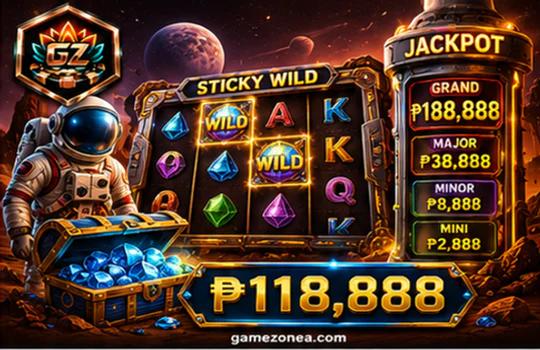
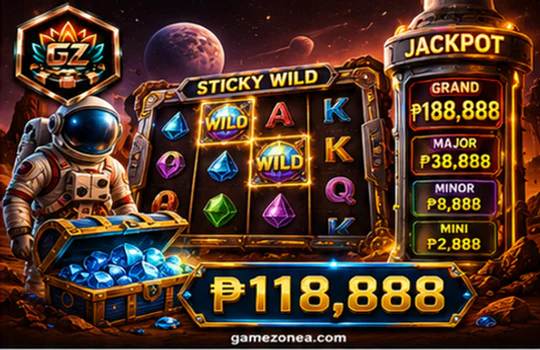
Choose Slots when you prefer a self-paced screen. A game card leads to reels, symbol information, a paytable, stake controls, and visible feature feedback. Open the information panel first, check whether the current game uses paylines, ways, or another displayed mechanic, then return to the reels with a clearer picture of what you are watching.
The dedicated GAMEZONE slot guide also helps you compare pace without treating animation speed as a result signal. You can see which control changes a visible value, where a completed round appears, and how a feature state differs from the base game. That makes the GAMEZONE online casino experience easier to follow on both desktop and mobile.
Fishing: Follow One Clear Target
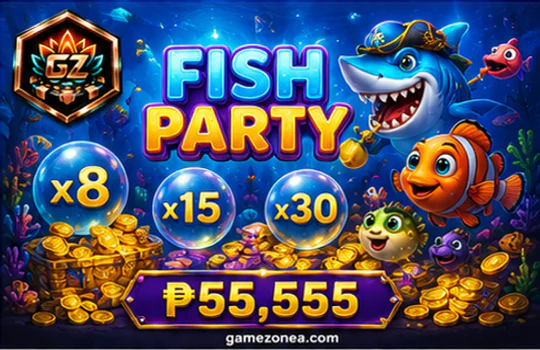
Fishing suits you when active aiming feels more engaging. The screen asks you to notice target direction, speed, overlap, the selected cannon state, and the feedback after each action. A larger target is not automatically easier, and a smaller one does not define value. The useful question is whether the movement path remains readable.
The GAMEZONE Fishing guide turns a busy ocean into a repeatable sequence: choose one target, confirm the control state, act once, read the response, then decide whether to continue. Waiting for separation is a smart option when effects or crossing paths hide the reticle. This category is for visitors who enjoy active timing without losing control of the screen.

Sports: Trace One Match to the Slip
Choose Sports when you enjoy following events and comparing information. Begin with the sport, date, competition, participants, and current status. Then open the intended market heading and keep the event identity visible while you compare the available options. One wrong period or refreshed event can change what a selection means.
The Sports guide shows why a live score needs its clock, period, or status and why a highlighted field is not complete until the bet slip lists it. It also explains what to do when an option changes or becomes unavailable. For a visitor exploring GAMEZONE casino online, this path provides a clear review habit without recommending a team, market, or outcome.

Live Casino: Follow the Human Rhythm
Live Casino fits a visitor who prefers dealer-led pacing. Preview the room, read its current status and displayed limits, open the rules, and watch how the countdown separates selection time from observation time. When the timer closes, the useful action is often to stop tapping and follow the dealer through the next state.
The GAMEZONE live table guide follows one complete round and shows what visible confirmation looks like. It also explains when to pause because the video, timer, or controls are no longer clear enough for a confident action. That makes the GAMEZONE online casino route feel more like a readable table theatre than a wall of moving previews.
First visit
Compare all four cards, then open one guide before using the GAMEZONE casino login path. You will arrive at account entry knowing which screen you want to explore.
Returning member
Go straight to the category, current rewards, or official support. Cyan navigation feedback should confirm the active route.
Still deciding
Choose the category whose controls and feedback feel easiest to understand. GAMEZONE does not need to guess your preference when the screen can show it clearly.
From Menu Tap to Clear Game Screen in Four Steps
Mobile convenience is more than fitting GAMEZONE into a smaller display. The GAMEZONE online casino mobile route should keep every important state readable from one tap to the next. It means preserving your place while the page changes, keeping important controls visible, and giving every tap a clear response. The route below works whether you continue through the mobile website or use an official app option displayed by GAMEZONE.
Open navigation
Keep the GAMEZONE crest and current page in view, then open the labelled menu. Large tap targets should separate Slots, Fishing, Sports, Live Casino, Promotion, Contact, and the account-entry action.
Choose one category
Tap the route that matches your preferred pace. A visible active state should confirm the destination before you continue, so you do not mistake navigation feedback for game feedback.
Read the full banner
The category image should remain complete at its original proportion. Supporting live text then explains what you will control, what changes on screen, and which information deserves attention.
Check the working screen
Locate rules, controls, status feedback, and the return path before beginning. This is where a GAMEZONE casino online visit becomes practical rather than simply attractive.
Member Value That Stays Clear About the Terms
Once you know which GAMEZONE experience interests you, membership value becomes easier to judge. This is where GAMEZONE casino online access connects naturally with qualified rewards and longer-term member benefits. The important benefits are attractive, but they also remain connected to the current screen where eligibility, activity rules, and level requirements can be checked.
Registration reward
New registered members can receive a registration reward of up to ₱888. It gives a new GAMEZONE account a clear value point after you have already chosen the experience you want to explore.
What to check: “Up to” is the maximum available reward. The current registration screen shows eligibility and activity terms, so read that screen before assuming every new account receives the maximum amount.
Progress from qualifying activity
Qualifying transactions and eligible activity contribute to membership level progress. The current member centre shows the qualifying activity, progress rules, and level requirements that apply to your account.
Depending on the current VIP level and terms, benefits can include higher cashback, priority withdrawals, birthday gifts, and dedicated customer service. The practical value is visibility: you can compare your current position, the next requirement, and benefits available at the present level.
Extra 100% first-deposit reward
A qualifying first deposit can receive an extra reward equal to 100% of the eligible deposit amount. This is additional matched value, not guaranteed profit. Confirm current eligibility, wagering, and withdrawal terms before participating.
Featured game day rewards
Playing during a featured game day gives eligible members a chance to receive extra game coins. Timing, eligible games, and current terms appear on the activity screen, so check the event before assuming a session qualifies.
Rewards and support stay close to the action
The GAMEZONE Promotion guide gives the complete participation path for registration, first deposit, featured game day, and VIP value. Use it before the GAMEZONE casino login or deposit step when you want every qualification in one place.
Registered users can request help through the online chat, Zalo, Telegram, or email channels currently displayed by GAMEZONE. Use only official contact details on the current website. If an account, payment, reward, or access state is unclear, move to Contact GAMEZONE rather than repeating uncertain actions.
Choose the Experience, Then Take the Next Step
You have now seen how each GAMEZONE category behaves, how mobile navigation preserves context, and how confirmed member value is qualified. A successful visit can lead to a game guide, a reward review, support, or the official GAMEZONE casino login destination.
When the category, mobile screen, and current terms all feel clear, continue to the official GAMEZONE casino account-entry route. You will arrive with a practical idea of what to explore, what feedback to watch, and which terms still need review. That is a stronger starting point than making every decision after registration.
Continue to GAMEZONE Account Entry